


BlueCruise 1.4 Explained: What’s Improved, What’s Required, and What Owners Ask Most
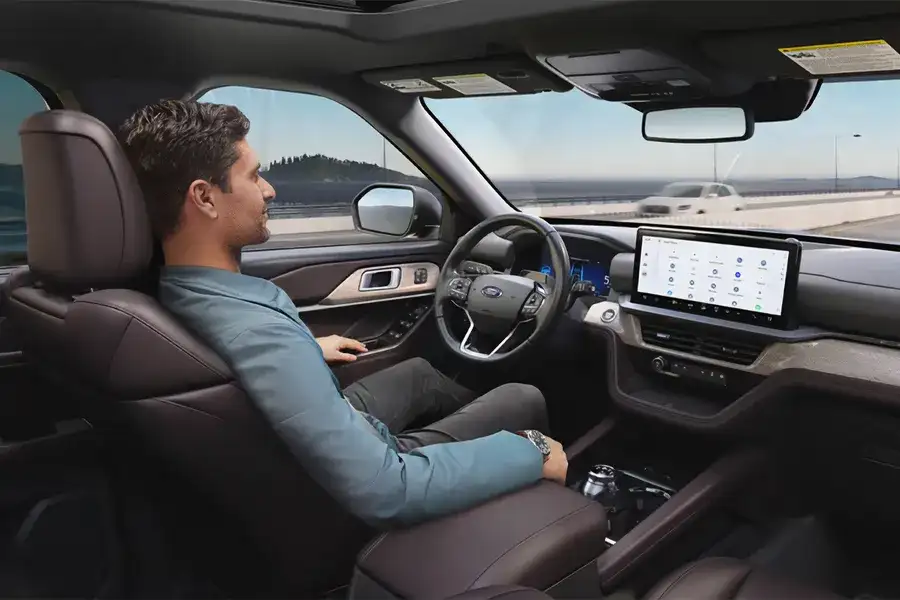
If you’ve been hearing “BlueCruise 1.4” everywhere and wondering what actually changed — you’re not alone. Updates to hands-free driver assistance tend to spark headlines and long forum threads for one reason: when you spend time on the highway, small improvements feel like big ones.
Here’s a plain-English breakdown you can bookmark.
Quick refresher: What BlueCruise is
Ford BlueCruise is hands-free, eyes-on highway driving assistance. On mapped, controlled-access highways (Ford calls them Blue Zones), the system can help with steering, lane centering, and speed control — but it’s not self-driving, and you still need to stay attentive and ready to take over at any moment.³
BlueCruise only works hands-free when:
- You’re in a Blue Zone,
- The vehicle’s external sensors can clearly see lane lines, and
- Your eyes are visible to the internal driver-facing camera.³
What’s improved in BlueCruise 1.4
Ford’s BlueCruise 1.4 update focuses on one big goal: a more natural feel with fewer interruptions in hands-free mode.²
1) Smoother speed changes in curves
BlueCruise 1.4 adds enhancements that automatically and smoothly adjust speed in curves, helping the system stay engaged longer instead of tapping out in sharper bends.²
2) Better lane stability
Ford says 1.4 introduces an all-new motion controller to improve steering control and help reduce “side-to-side” movement within the lane.²
3) More hands-free time in tricky conditions
Ford notes improved hands-free engagement in diverse conditions like narrow lanes, rain, and direct sun glare affecting sensors.²
4) The “8x longer” stat
Ford says internal testing showed drivers stayed engaged an average of at least eight times longer hands-free compared with BlueCruise 1.0 — real-world results will vary by road type, traffic, weather, and visibility.²
What’s required to use BlueCruise
Your vehicle has to be BlueCruise-equipped
BlueCruise availability depends on model, model year, and trim. Ford maintains a version/availability table you can check by vehicle.⁵
You need an active plan after any trial/included period
Ford states that once a complimentary trial or included plan ends, an active plan is required to use BlueCruise, and purchasing is handled through the Connected Services tile on your Ford Account.³
Setup matters
Even on a highway, BlueCruise won’t always offer hands-free if lane lines are poor, sensors are blocked, or you’re not in a Blue Zone — and the driver-facing camera needs a clear view of your eyes.³
Will your Ford get BlueCruise 1.4?
The safest way to say this: some vehicles ship with certain versions, and some are eligible for updates — delivered over-the-air on a rolling basis at Ford’s discretion.⁵
Autoweek also notes that some older vehicles may require hardware changes (like upgraded sensors/cameras) to access newer functionality.¹
How to check quickly:
- Look up your model/year on Ford’s BlueCruise availability table.⁵
- Check Connected Services in your Ford Account to see your BlueCruise status and plan dates.³
- If you’d rather not chase menus, stop by — we’ll help you verify what’s active and what’s available.
What owners ask most
“Is BlueCruise 1.4 the same as self-driving?”
No. It’s hands-free, eyes-on driver assistance designed for controlled-access highways in Blue Zones. You remain responsible for the vehicle at all times.³
“Why does it disengage sometimes?”
Most common causes: lane markings/sensor visibility, road segments that aren’t Blue Zones, sharp curves, weather/sun glare, or system confidence dropping and requiring you to take over.¹²
“Does it do hands-free lane changes?”
Depending on vehicle/version:
- Lane Change Assist can change lanes hands-free when you tap the turn signal to initiate.³
- Automatic Lane Change (the vehicle initiating the lane change for you) is not on every vehicle and is tied to supported versions/features.³
“What does it cost after the trial?”
Ford lists purchase options (monthly, annual, and a one-time purchase at vehicle purchase for some vehicles) and notes pricing is subject to change — the most accurate place to confirm is your Ford Account.³⁴
“Any tips to make it work better?”
- Keep cameras/sensors clean in messy weather.
- Turn on Automatic Updates and set a schedule for overnight installs.
- Use it where it’s designed to work best: controlled-access highways with clear lane lines.³⁵
Want help confirming your version or trying it on the highway?
At Nucar Ford of Tilton (40 E Main St Lot B, Tilton, NH 03276) we can help you:
- Check your BlueCruise version and Connected Services status
- Walk through setup
- Demo a BlueCruise-equipped vehicle so you can feel the difference yourself
And with every new non-lease vehicle purchase at Nucar, you’ll receive the 20/200 Protection Plan By Nucar (details and exclusions apply — we’ll happily review them with you).⁶
Everyone loves a Nucar!
Footnotes
¹ https://www.autoweek.com/news/a68018640/ford-bluecruise-improvements/
² https://media.lincoln.com/content/fordmedia/fna/us/en/news/2024/09/26/new-version-of-bluecruise–smoother–more-natural-hands-free-hig.html
³ https://www.ford.com/technology/bluecruise/
⁴ https://www.fromtheroad.ford.com/us/en/articles/2024/ford-lowers-bluecruise-annual–monthly-plan-pricing
⁵ https://www.ford.com/support/how-tos/ford-technology/driver-assist-features/ford-bluecruise-availability/

0 comment(s) so far on BlueCruise 1.4 Explained: What’s Improved, What’s Required, and What Owners Ask Most